
01
Compare the same record across systems.
Pagsama checks the same order, shipment, or invoice across commerce, ERP, finance, and fulfillment systems, preserving a clear record of what each one reported.
Pagsama compares the same order, shipment, or invoice across the systems you already use—such as Shopify and NetSuite—and shows where records stop matching. Oslo AI helps your team investigate exceptions. Integration AI is being developed to help resolve approved issues in established integration workflows.
Compare
See where systems disagree
Investigate
Use Oslo AI with evidence
Resolve
Set approval and automation rules
Available now
Reconciliation operations + Oslo AI
Product example
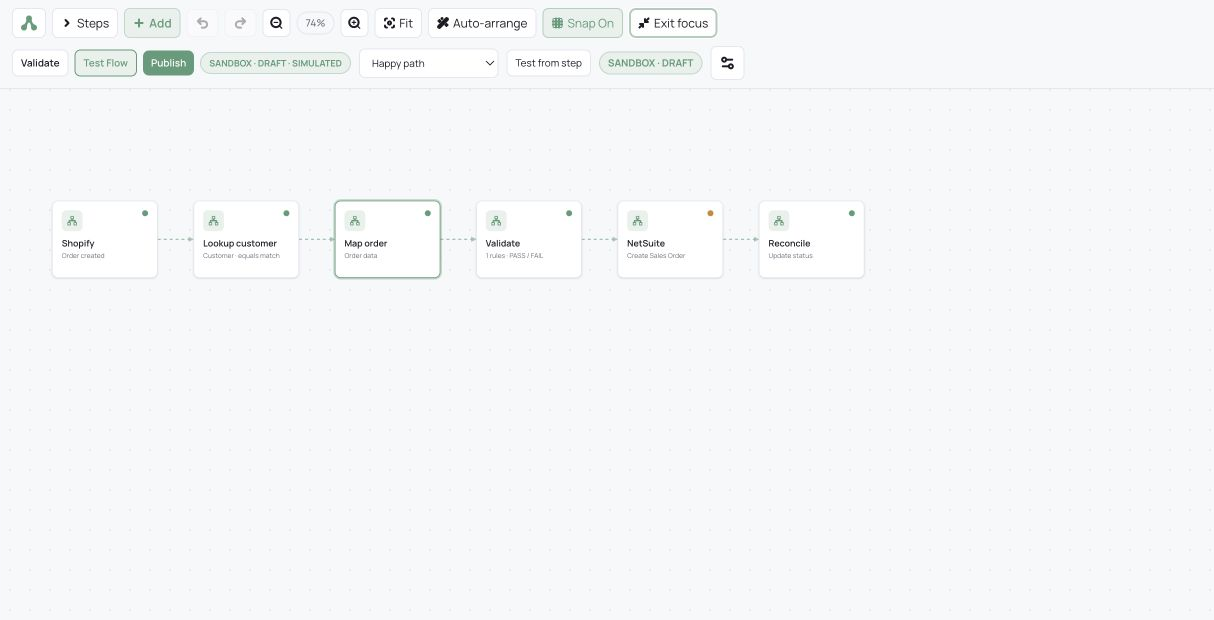
Shopify → Celigo → NetSuite
Expanding capability
Account-controlled Integration AI recovery
Without a reconciliation layer, teams often find mismatches by pulling exports, checking spreadsheets, and tracing records across systems. Pagsama keeps the comparison running and attaches the source evidence as soon as a record needs attention.
Compare · investigate · resolve
Pagsama keeps what each system reported, the applicable timing rule, and the supporting records together so your team can act on evidence instead of rebuilding the story by hand.
01
Pagsama checks the same order, shipment, or invoice across commerce, ERP, finance, and fulfillment systems, preserving a clear record of what each one reported.
02
Expected processing time remains pending. Once the applicable timing window has passed, Pagsama identifies the mismatch and keeps the supporting records attached.
03
Your team can use Oslo AI to investigate the exception, assign ownership, and keep the supporting records attached through resolution.
How Pagsama works
Each reconciliation keeps its source records, timing rules, exceptions, and ownership together. The dashboard and Oslo AI use the same records, so the explanation stays connected to the evidence your team can review.
Illustrative record path
What Pagsama checks before opening an exception
Processing time remains pending. An exception opens only after the applicable timing rule has been evaluated.
01
Commerce record
The order received by the source system
02
Timing check
The expected processing window is evaluated
03
ERP comparison
Pagsama checks for the corresponding record
04
Actionable exception
Evidence and ownership stay attached
Oslo AI · Explain exceptions with evidence
Oslo AI answers questions using the same records and timing rules shown in the dashboard. It carries context across follow-up questions, identifies which reconciliation it used, and links supported conclusions back to the underlying records.
An operator asks Oslo AI
“Which reconciliation needs attention first—and why?”
Illustrative Oslo AI response
“In this example, the Shopify → NetSuite order reconciliation needs attention first. Twelve orders are missing a matching NetSuite sales order after the expected processing window. Open the linked exception records to review the source evidence and assign the next action.”
Integration AI · Account-controlled recovery
Integration AI is an expanding capability for established workflows built by Pagsama. Account administrators will define the specific issues and corrective actions it is allowed to resolve.
For each permitted action, administrators can require approval or authorize Integration AI to proceed automatically. It will use the workflow’s configuration, history, and validation results to isolate the interruption, apply an allowed correction, resume affected records from the appropriate step, and confirm completion at the destination.
How Pagsama operates
Pagsama is a California-based startup. Our team has 20 years of combined experience across operations, supply chain, and business systems—including the reconciliation and integration work connecting them.
Connection access
Reconciliation connections use read-only access. Integration connections use only the read/write permissions required to operate the approved workflow.
Integration boundaries
When Integration AI becomes available, it will act only within the workflows and corrective actions authorized for the account.
What a pilot looks like
Most pilots reach a working reconciliation within one week of receiving access and completing kickoff. Each pilot includes four dashboards shaped around the account’s systems and reconciliation scope, plus Oslo AI, exception workflows, and reporting.
Talk to Pagsama
Tell us which systems are involved—or simply describe the manual process you want to improve. We’ll show you how Pagsama can compare the records, explain the exceptions, and support the path to resolution.